This illustrated walkthrough uses real FORMA 1.3.0 and 1.3.1 screens and fictional records. Current 1.3.2 navigation uses the simpler labels described below. For hands-on editing, open a separate 30-minute demo. No signup or email address needed; edits are deleted after expiry and outgoing email is disabled. Use sample details only.
01 / UNDERSTAND THE ENQUIRY
Give the conversation a useful start.
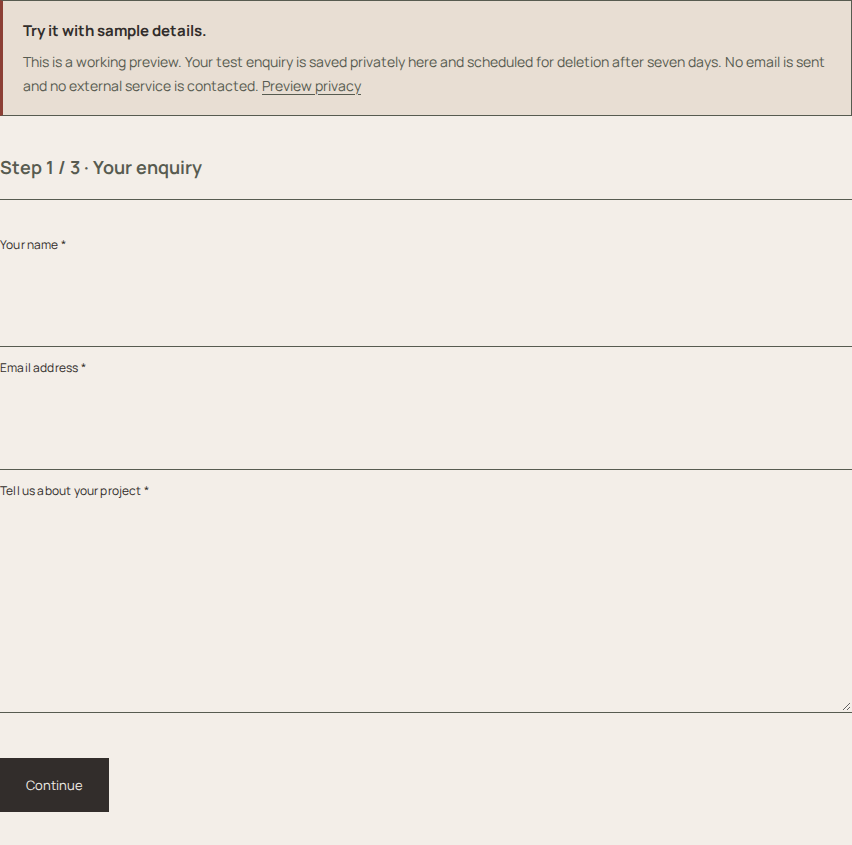
A prospective client describes an apartment renovation. Free stores the basic enquiry privately. Pro adds configured project questions and an optional guided form.
Ask for the details your studio needs. Avoid collecting confidential documents or unnecessary personal information.
Pro demo form, captured on 1.3.1. Use sample details; no email is sent.
02 / REVIEW AND ASSIGN
Put context beside the next action.
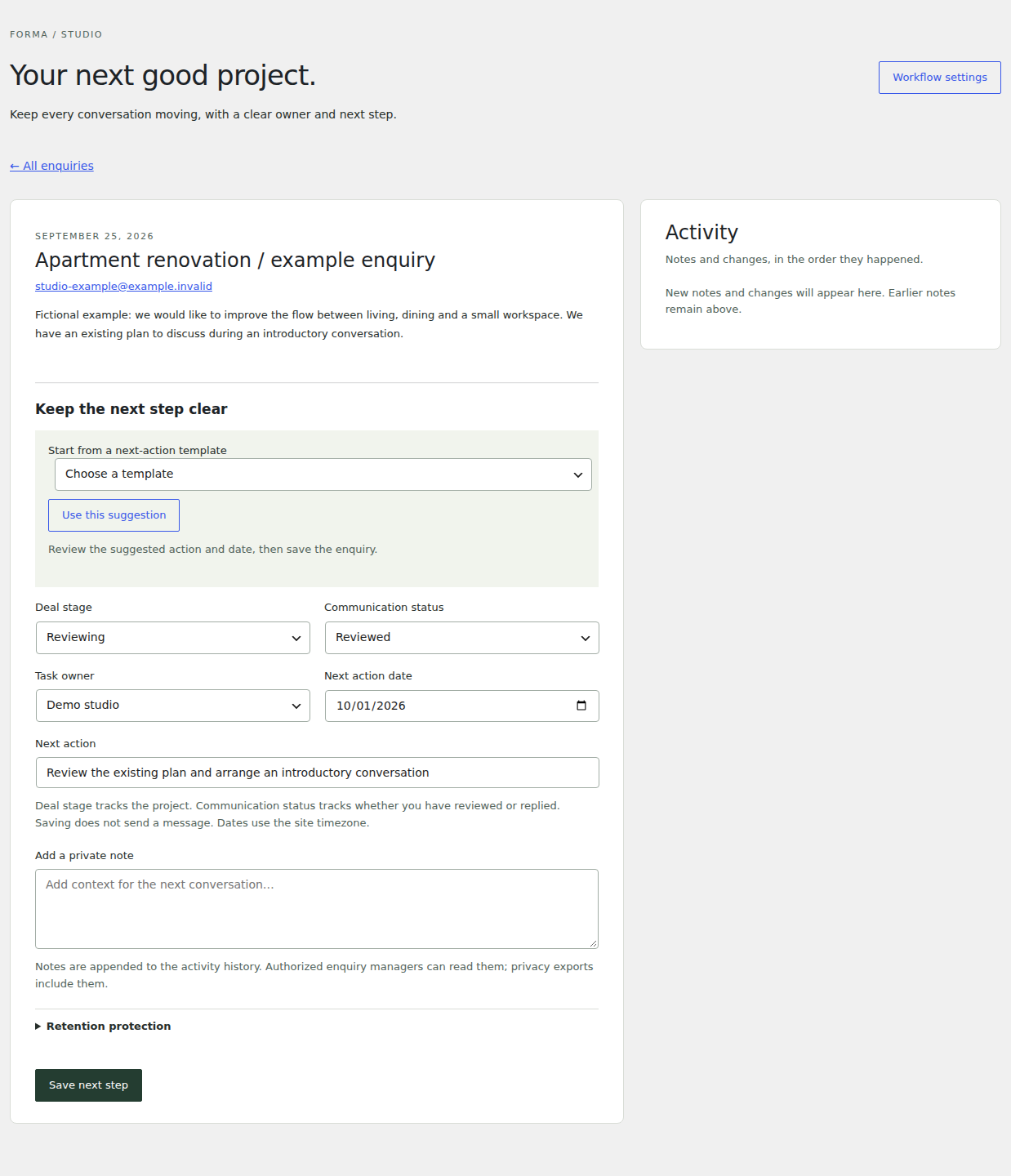
Review the private record, record useful notes, choose an owner and set the next action. Open Forma Studio → Enquiries. Reply status records correspondence; Project stage describes where the opportunity stands. Changing either does not send an email—reply using your usual email tool, then update the record.
In this example, the next action is to review the existing plan. The record is fictional, with an example.invalid email address.
Pro enquiry workspace, captured on 1.3.1. This is a screenshot, not a public inbox.
03 / FOLLOW THROUGH
Return to the work that needs attention.
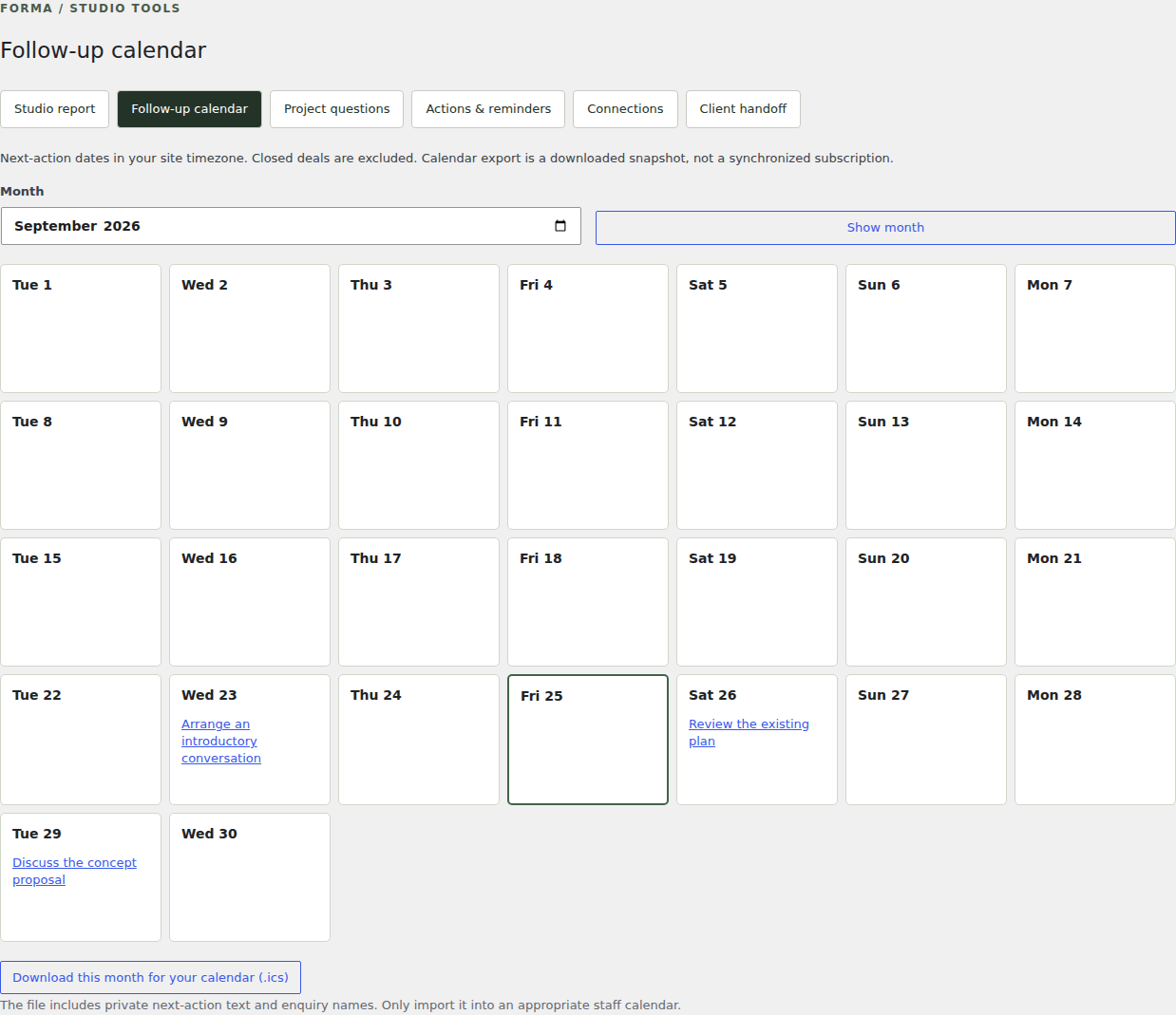
Use next-action dates, saved views and the follow-up calendar to review upcoming work. Optional staff reminders require your own email and scheduling setup.
Calendar export downloads an ICS snapshot. It does not maintain a live calendar subscription.
Existing follow-up calendar capture from 1.3.0.
04 / PRESENT SELECTED WORK
Share the projects that fit the conversation.
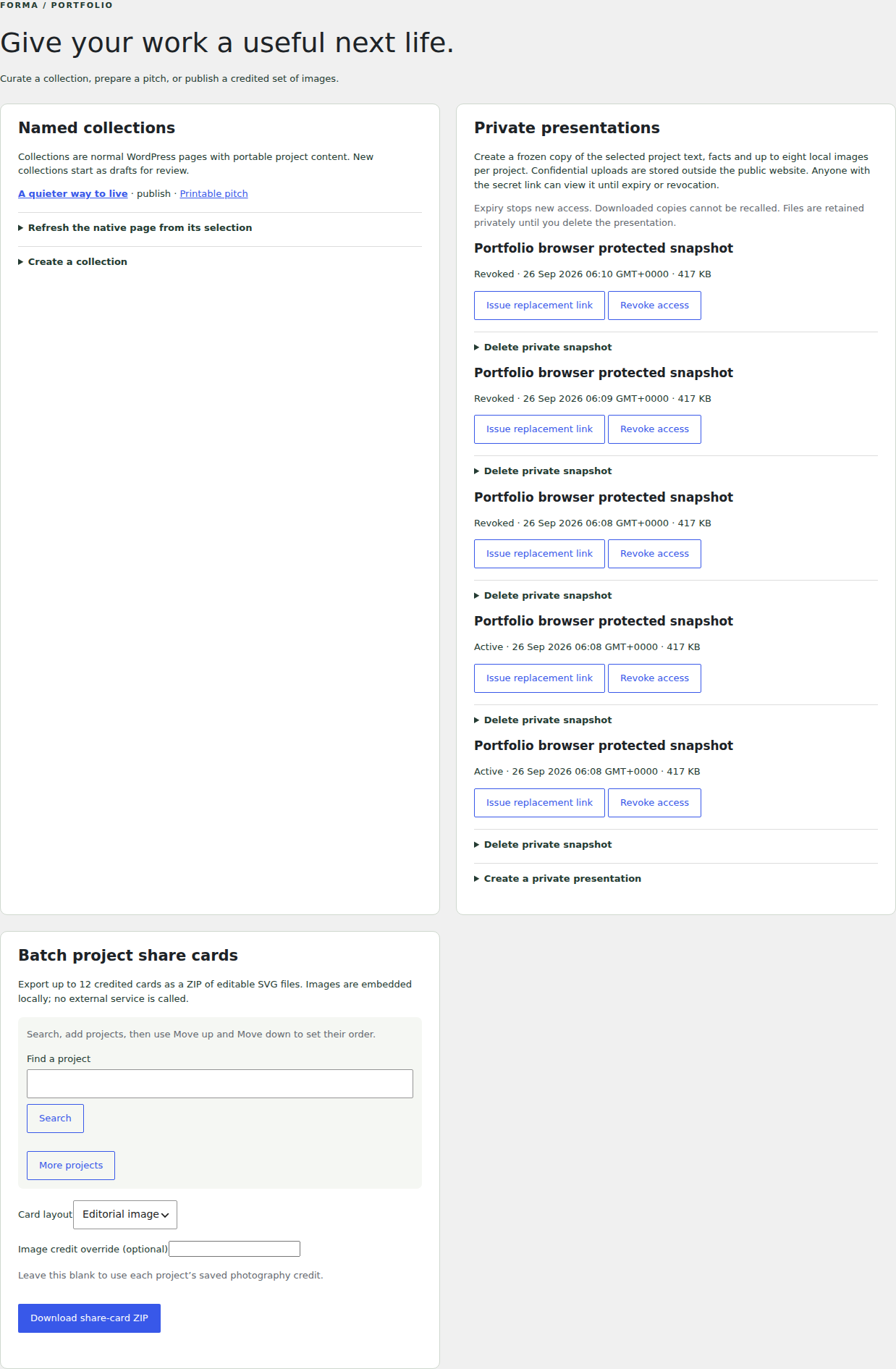
Create a public project collection for an open link and printable page. Create a client presentation for a private copy of selected work with an expiring link. Later edits to the original projects do not update that copy.
Private presentations require protected storage outside the public website. Ordinary Media Library files remain public. Recipients can retain downloaded copies after access expires. In a temporary editing demo, presentation links only open in the browser session that created them.
Existing portfolio tools capture from 1.3.0. A public pitch is separate from protected delivery.
Start at the stage you need.
Free includes private basic enquiries and communication statuses. Pro adds qualification, responsibility, next actions and presentation tools. No extra account is required to use the installed tools.