Sovelta / INSIDE THE WORKSPACE
Beautiful to look at.
Made to work in.
Try the actual WordPress workspace in your own temporary demo, or take a guided look through the recordings and screenshots below.
The current workspace captures show Sovelta 1.10.0 with fictional studio content. The temporary Free and Pro editing demos run Sovelta 1.10.2. Free opens Studio; Pro opens an Atelier interiors showcase. The archived video and gallery show FORMA 1.3.0, and the setup captures show 1.4.0 and 1.3.1. Each image or recording keeps its own version label.
THEME / 1.10.2
Experience the current theme
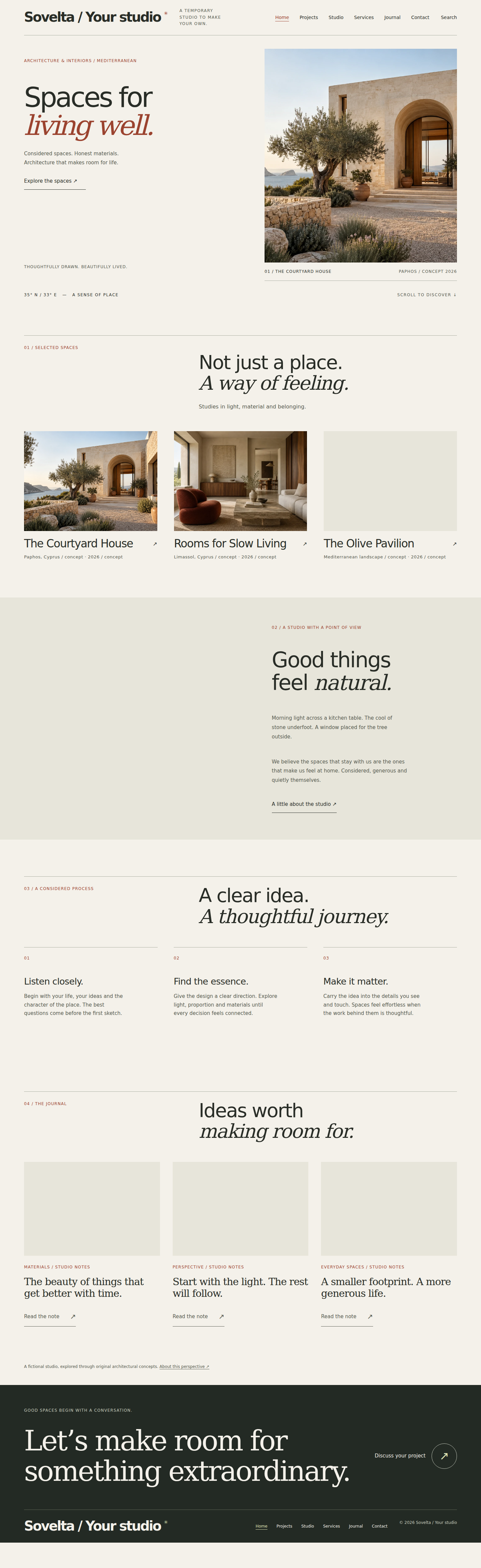
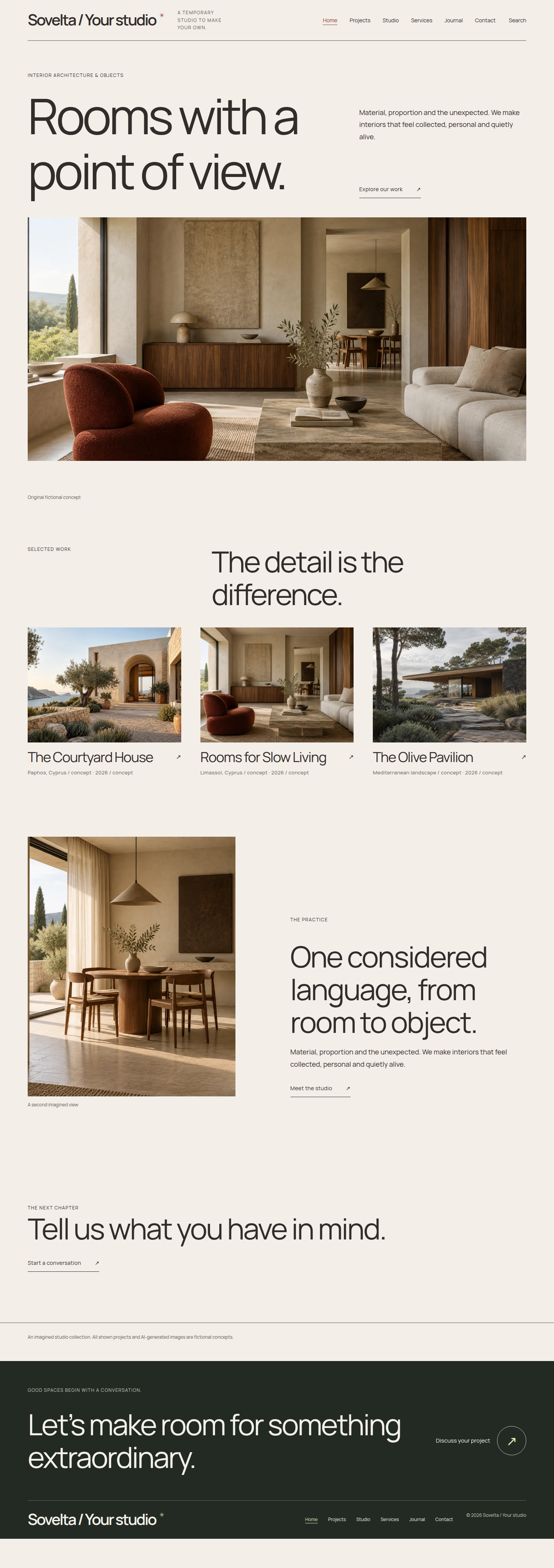
Sovelta 1.10.2 pairs a balanced Studio portfolio in Free with a distinct Atelier interiors showcase in Pro. These are actual frontend captures from the temporary demos, with fictional work.


EDIT WEBSITE / 1.10.0
See it. Select it.
Make it yours.
Select the text or photograph on your actual website. Try a look, keep changes private, then review what to publish. The same workspace is included with Free and Pro.
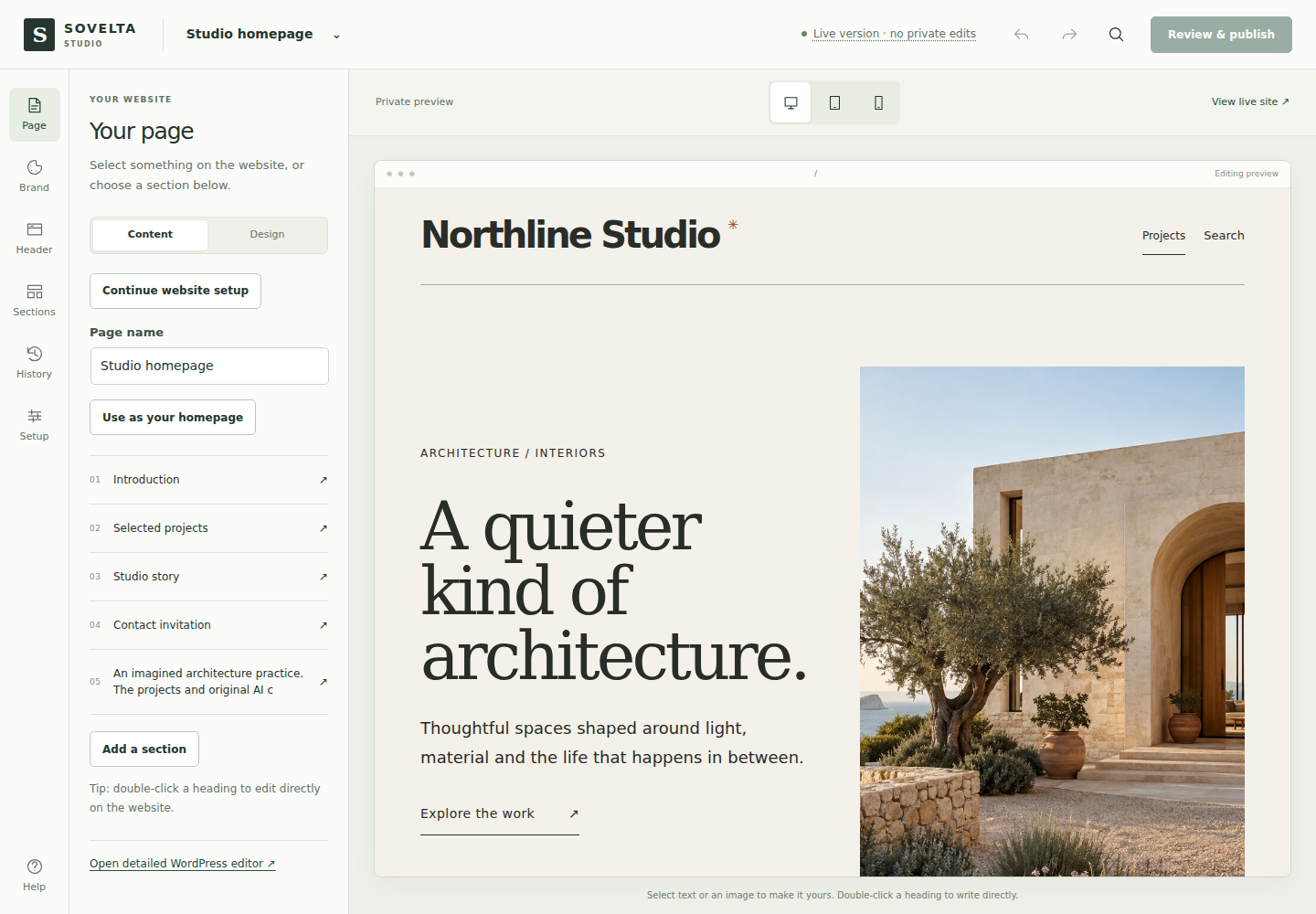
Try Free editing Try Pro editing Read the short editing guide
YOUR OWN WORDPRESS DEMO
Go beyond the screenshot.
Try it yourself.
Choose your edition and open a real WordPress workspace. Edit the sample content, change the design and preview the result.
No account or email address needed. Your own temporary site, preloaded with fictional projects.
30-minute session · Edits deleted after expiry · No outgoing email
Use sample details only.
FOUR GUIDED STEPS / FREE AND PRO
A clear place to start.
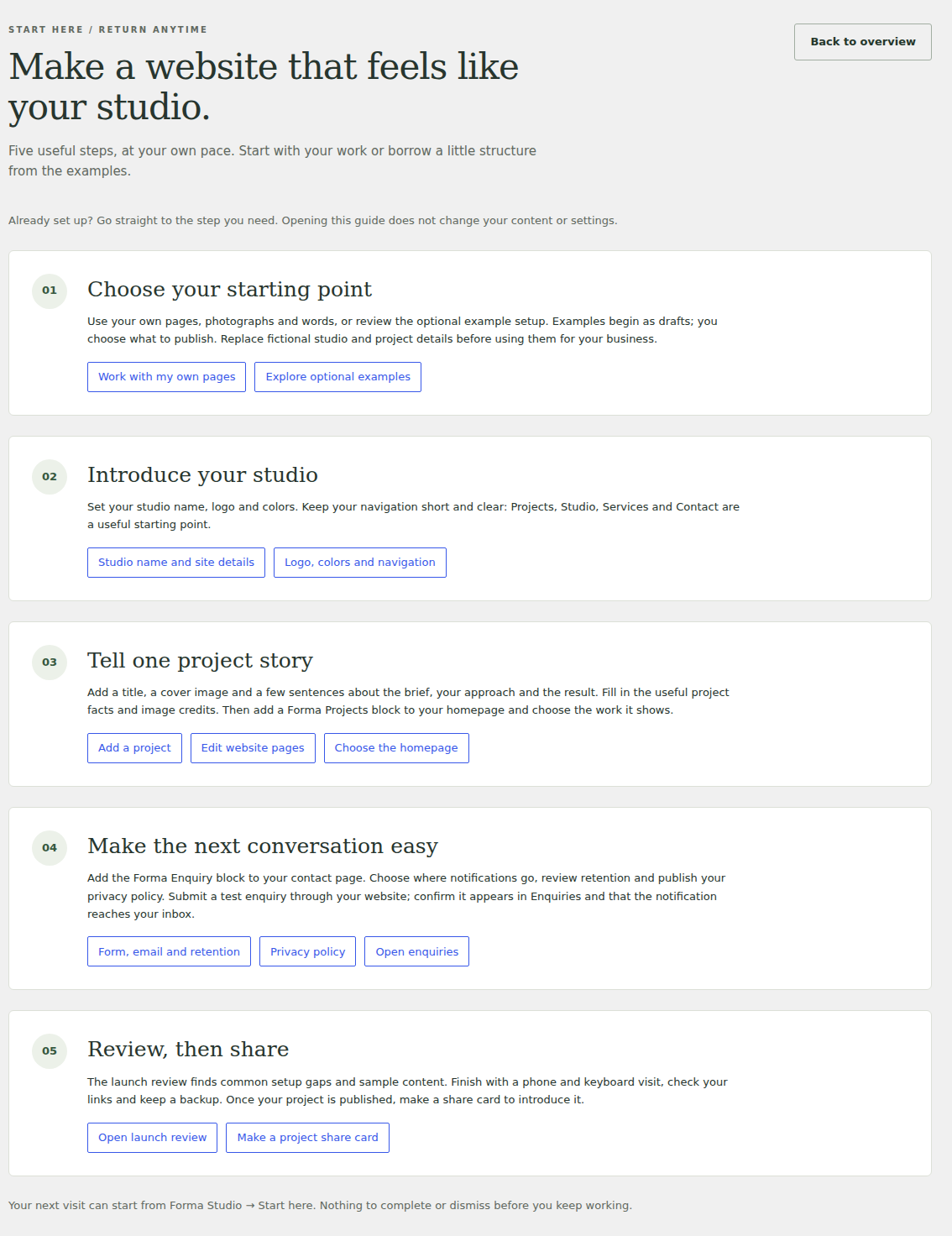
Set your studio details, prepare your first project, check your contact form and view your website. Start here keeps your progress on your own site and points to the next step.
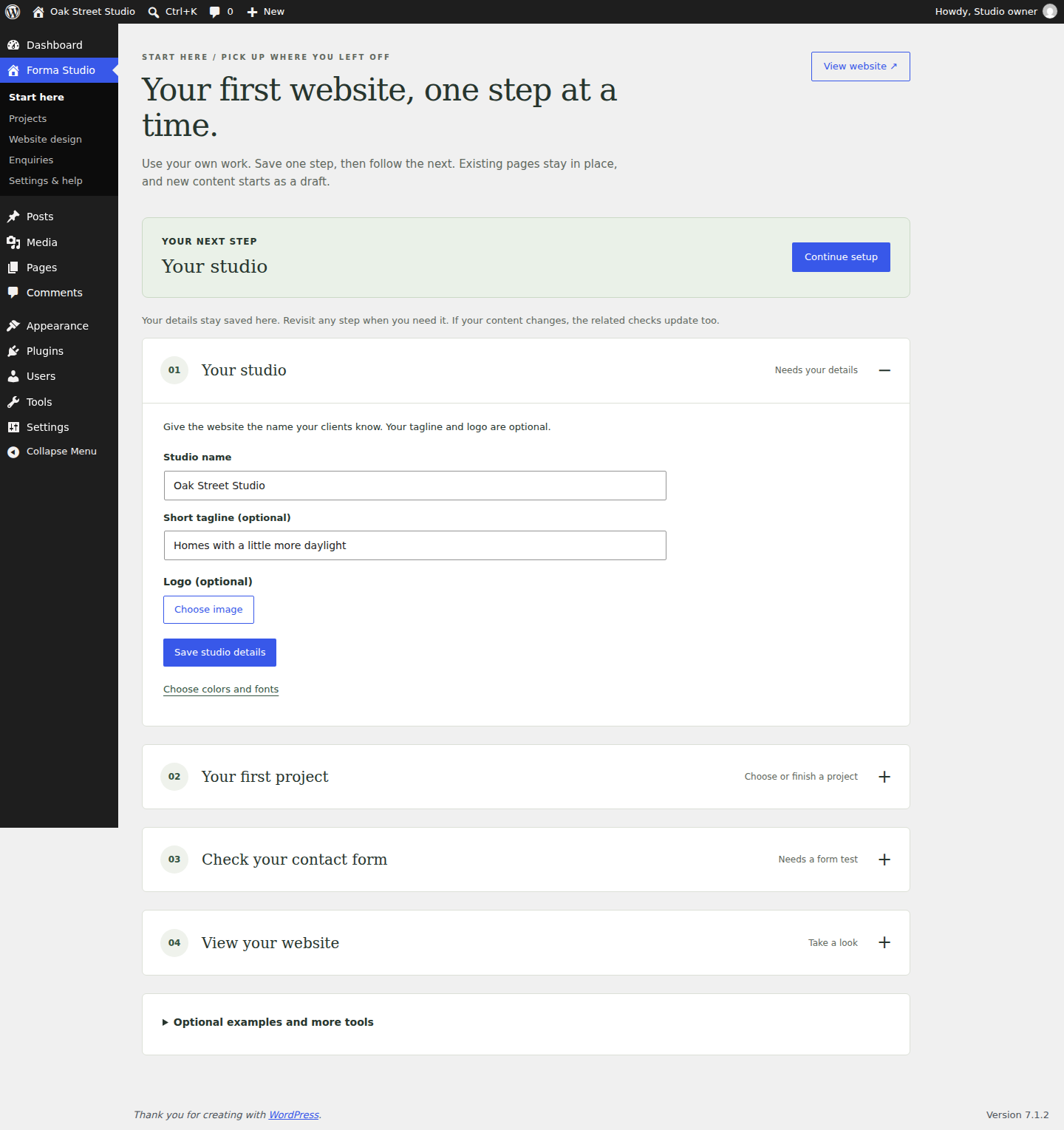
Follow the setup guide ↗ · Follow an enquiry through the studio ↗
Earlier setup guide · version 1.3.1
Watch the archived editing walkthrough.
An archived FORMA 1.3.0 silent, captioned recording: select projects, change their order, write the story and publish a demonstration page. The Free editing foundation is shown on a Pro-enabled installation.
Read the editing journey transcript
- 00:00:01.567 Start with a normal WordPress page. Existing content stays editable as native blocks.
- 00:00:05.098 Choose published projects by thumbnail. The selection uses your existing project records.
- 00:00:08.173 Move a project down to change the order. No project or image is duplicated.
- 00:00:11.230 The live portfolio updates while the rest of the page remains native content.
- 00:00:22.482 Write the story behind the design directly in a paragraph block. This demonstration uses fictional work.
- 00:00:27.558 Review the native publishing step, then explicitly publish this demonstration page.
- 00:00:31.825 The published page uses the same project selection, text and live project facts.
- 00:00:43.926 This temporary demonstration is removed after recording. Your own pages remain under your control.
ARCHIVED FORMA 1.3.0 / FICTIONAL DEMO RECORDS
Find the tool.
Get on with the work.
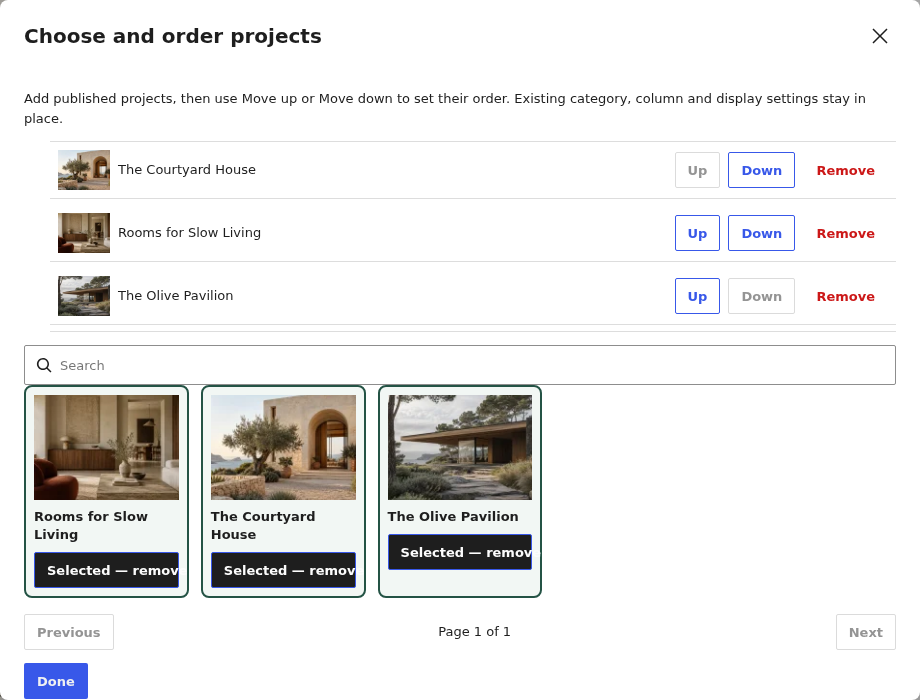
Choose existing published projects by thumbnail and reorder them. The same project records stay in use. Select the image for full size.
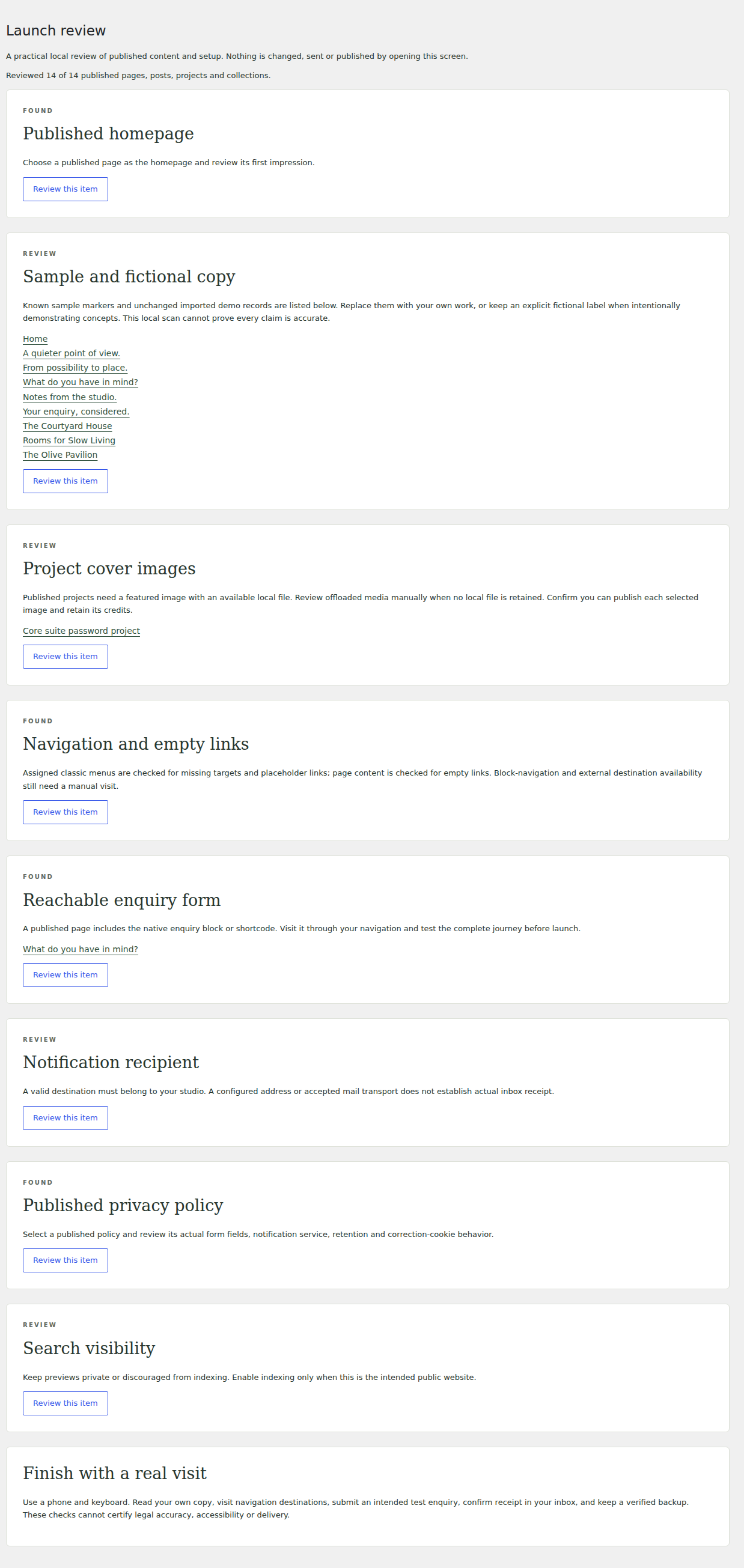
Review fictional copy, missing images, navigation and contact setup before launching your own site. Select the image for full size.
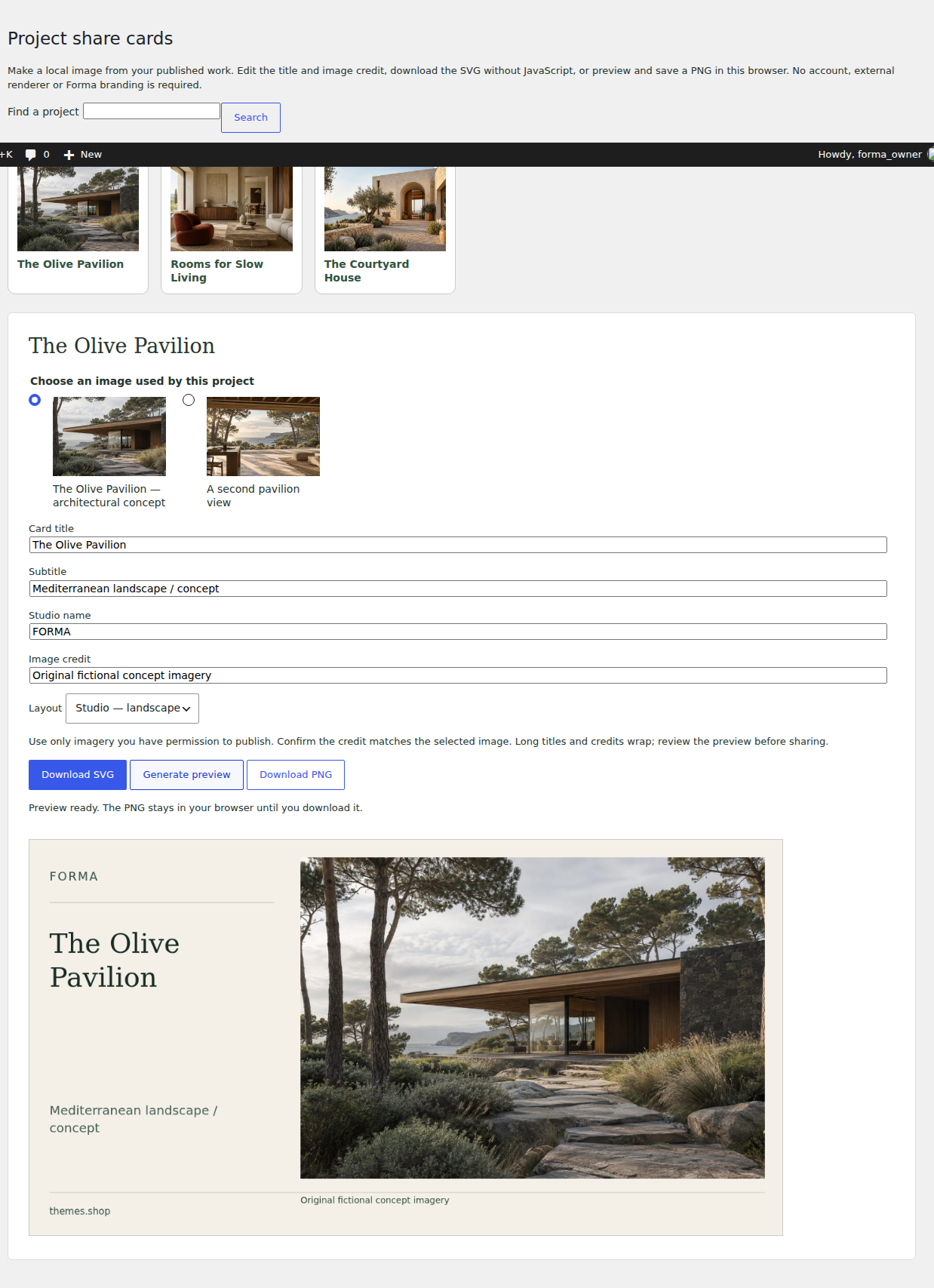
Create a downloadable card from your own published project and authorized imagery. No required Sovelta watermark. Select the image for full size.
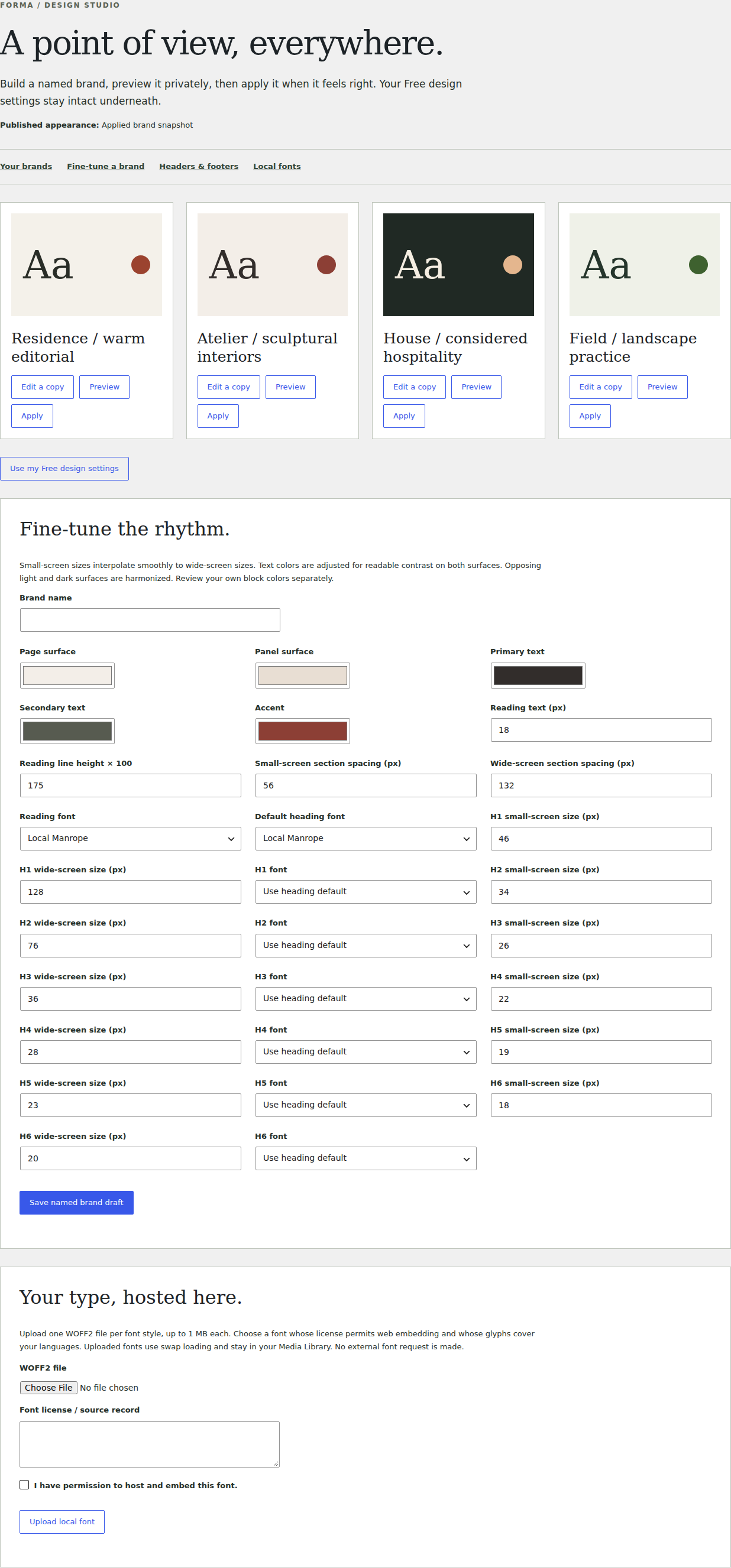
Preview brand choices, save a named preset, apply it and restore the previous design. Select the image for full size.
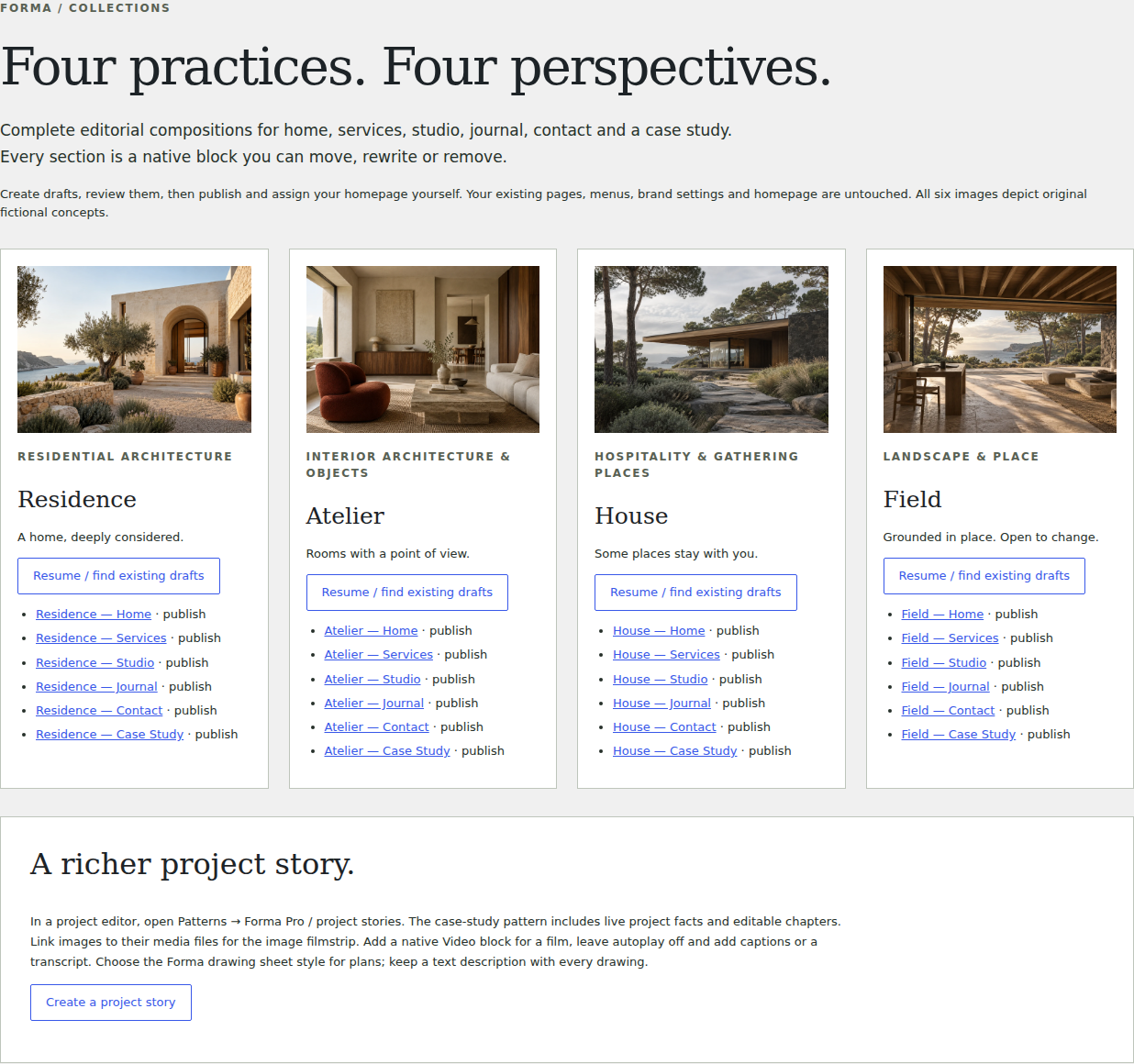
Start with residential, interiors, hospitality or landscape compositions. New pages start as drafts for your review. Select the image for full size.
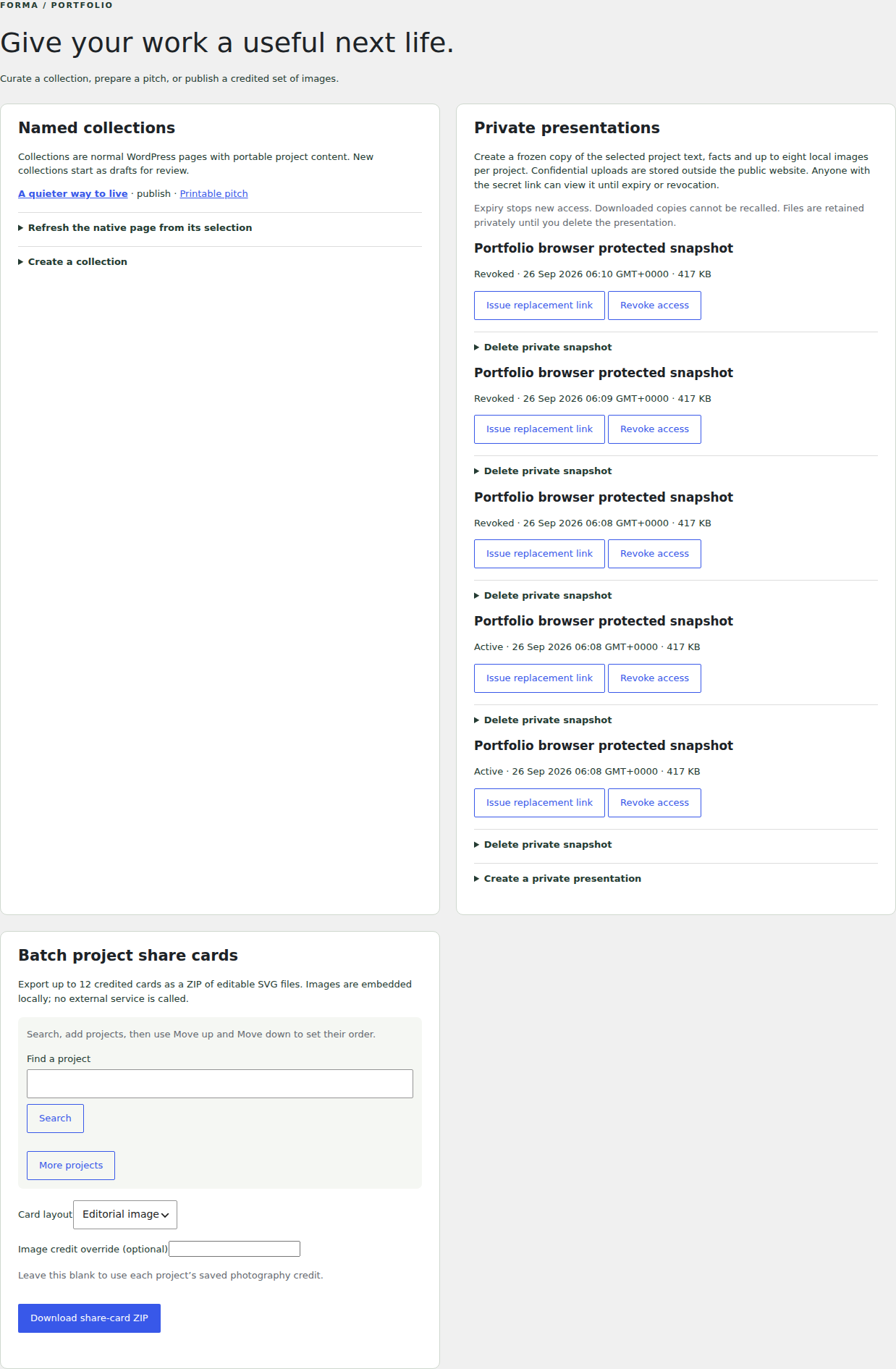
Organize named collections, prepare share cards and create controlled public or private presentations. Select the image for full size.
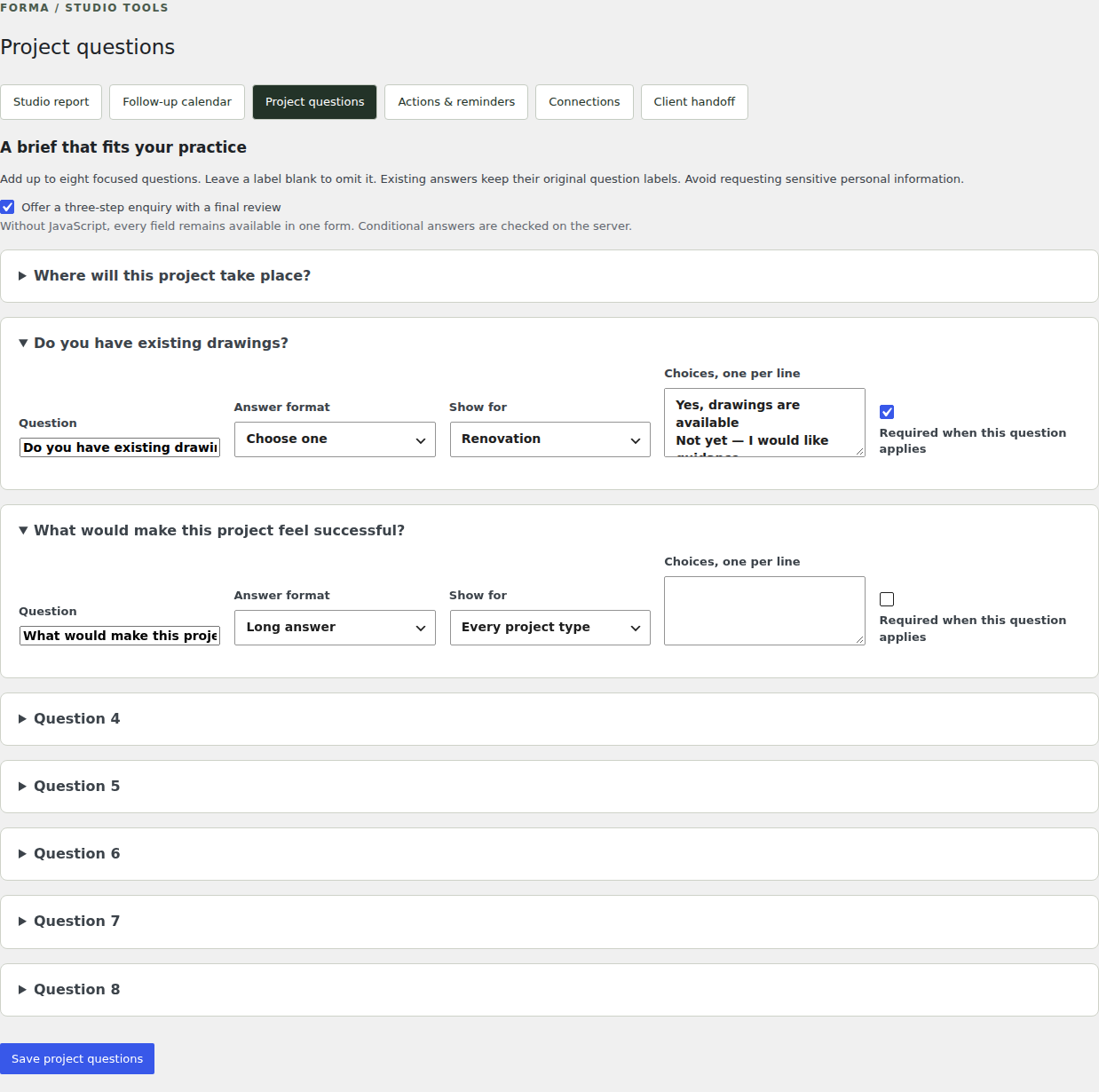
Choose a few useful questions, apply project-type conditions and offer an optional three-step form. Select the image for full size.
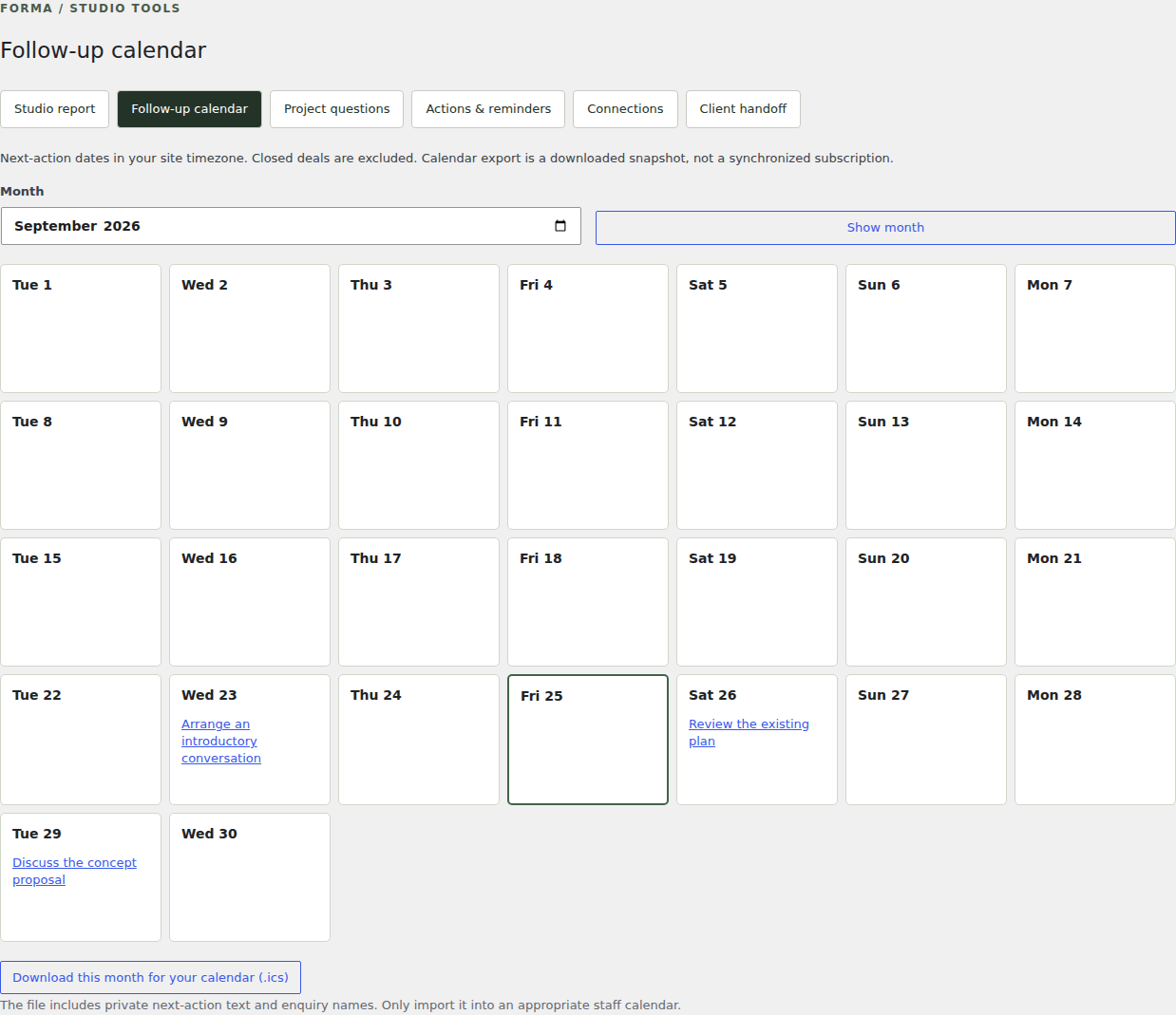
See next-action dates and download a monthly calendar snapshot for an appropriate staff calendar. Select the image for full size.
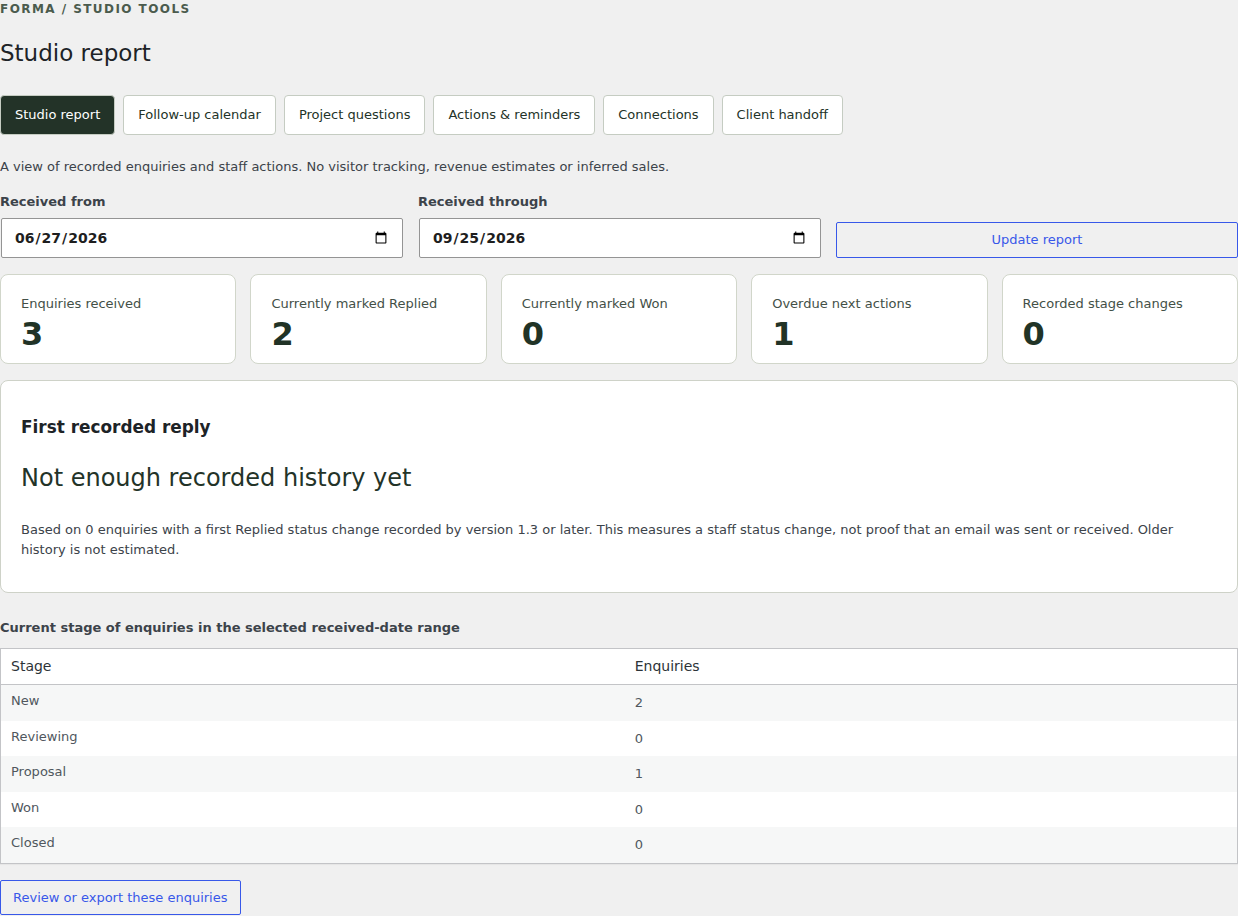
Understand recorded enquiry counts, stage movements and the time before staff first mark a record replied. Select the image for full size.
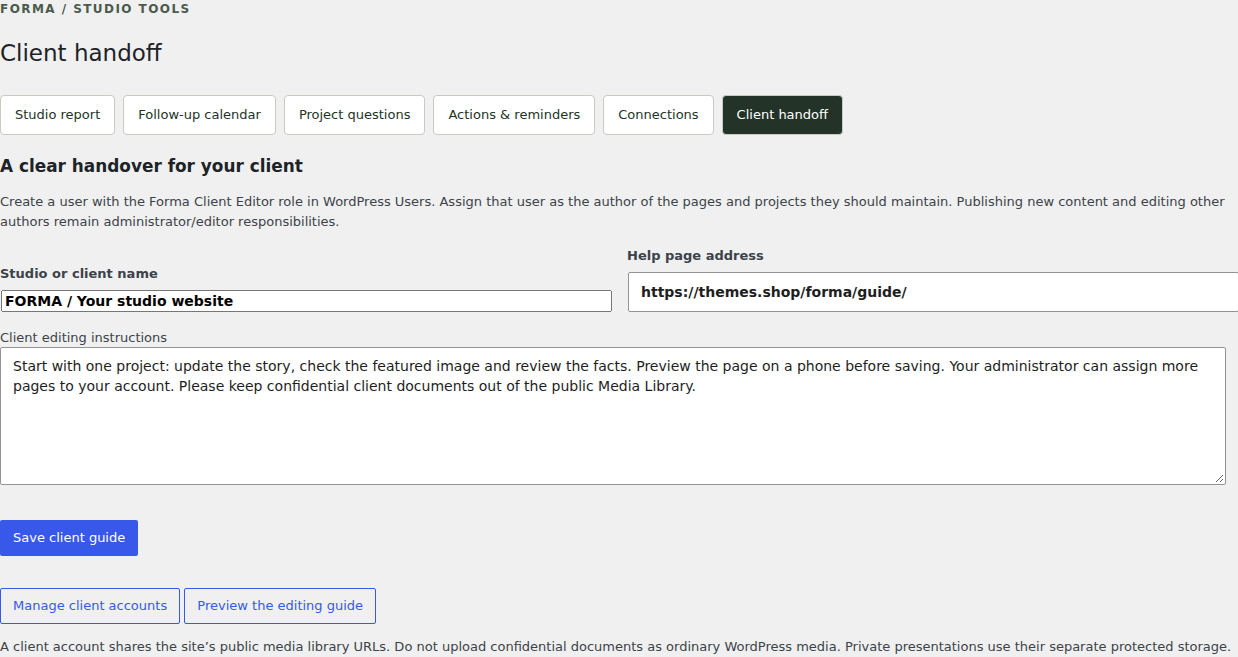
Write a focused editing guide and assign a client role with access to their own content. Select the image for full size.
Install the Free theme and Core on your own WordPress website. Temporary demo changes are deleted when the session ends or expires; installing these downloads does not transfer them.
Start your own websiteThe temporary editing demos are separate from your own website. Sign in to your site with your existing credentials to keep and publish your real work.
Preview versions. Temporary editing demos and current Free downloads use Sovelta 1.10.2. The read-only example websites remain historical FORMA 1.7.0 previews. Screenshots, recordings and the static design comparison keep their own version labels.