Practical guidance for the first setup and the everyday tasks that follow.
Install and set up
Install the theme under Appearance and Core under Plugins, then open Forma Studio. The optional guided demo creates editable content and local images. Review its options; set the homepage or menus only when you choose to. On an existing site, take a backup first.
Start with one project: replace its title, story, featured image and facts, then preview it on a phone. Replace every fictional detail before publishing.
Make the design yours
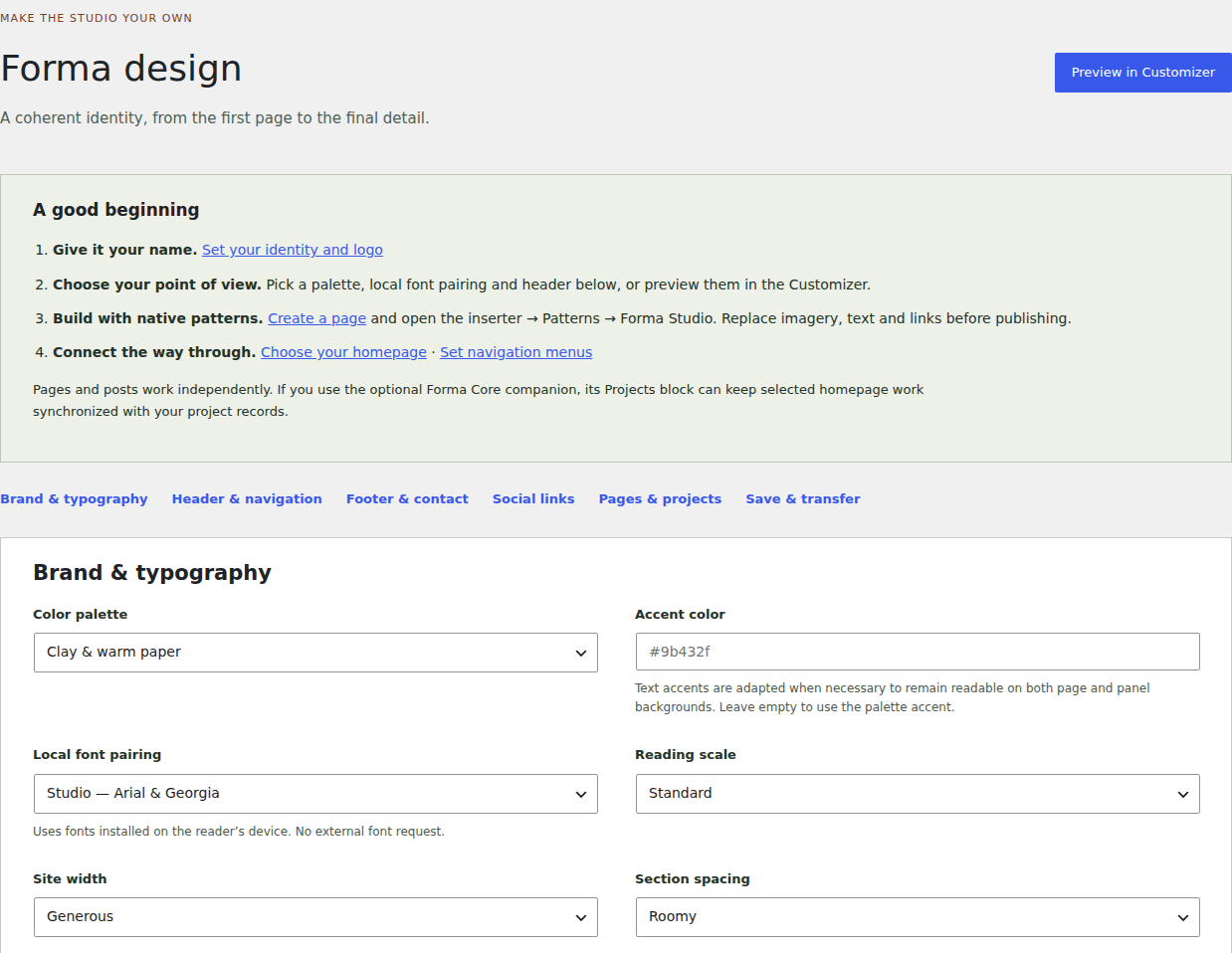
Open Appearance → Customize for identity, palettes, typography and layout controls. Preview your changes before publishing them. Use the theme’s design export/import tools when transferring a configuration.
Use native block patterns to assemble a page. Keep a duplicate draft before deeply restructuring a composition. A theme settings import should not import unknown options or private data.
Appearance → Forma design. Choose a starting palette and typography, then preview the result. Select the image for full size. Captured on version 1.2.0.
Publish and curate projects
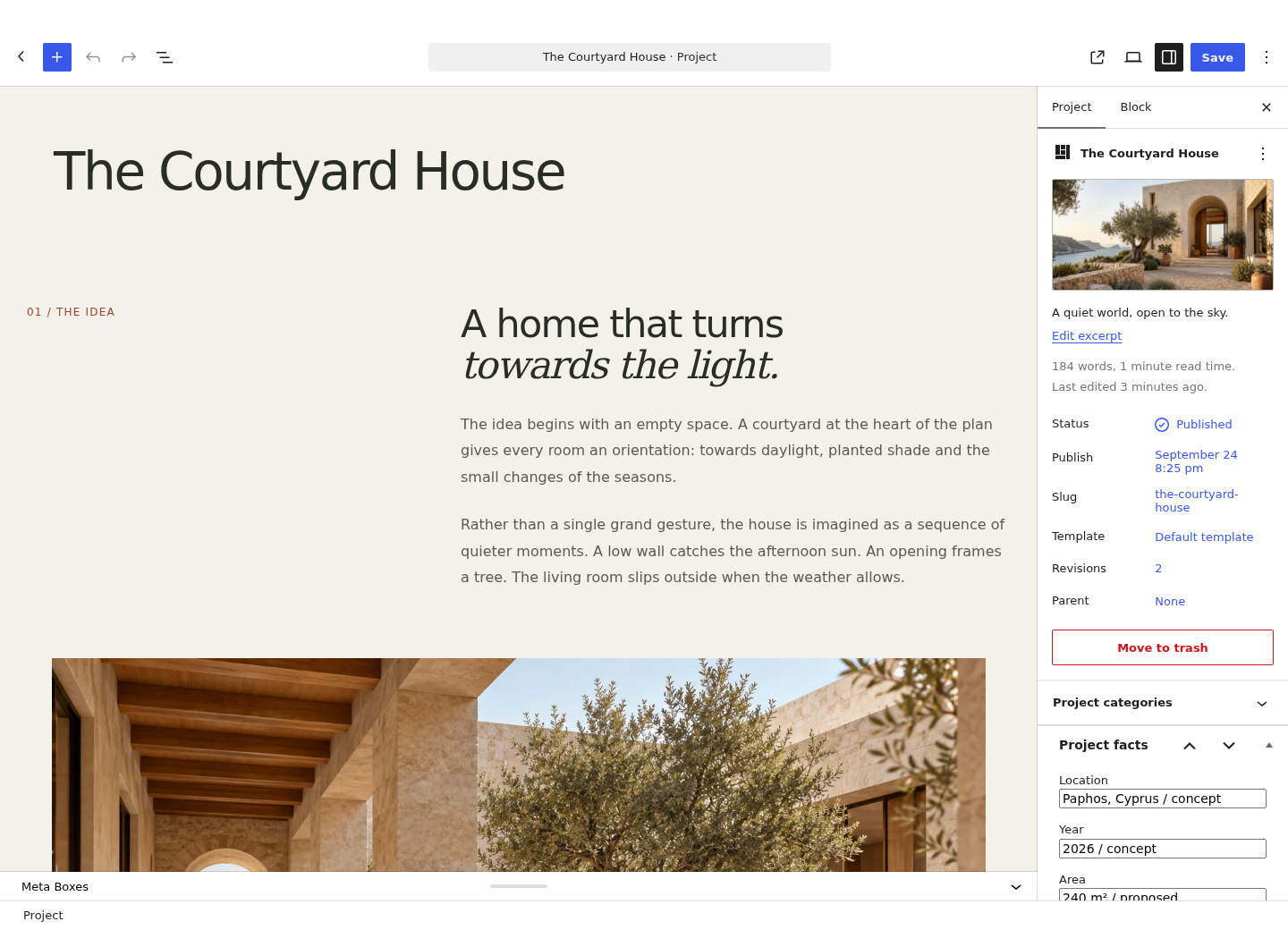
Projects belong to Forma Core. Add a title, excerpt, featured image, project facts and a narrative using normal WordPress blocks. Use captions and meaningful image descriptions.
The dynamic project listing reads project records, so title and image changes appear wherever that listing is used. Static image/text blocks remain individually editable and do not synchronize automatically.
Edit projects with ordinary WordPress blocks. Use Project facts for location, year, area and materials. Select the image for full size. Captured on version 1.2.0.
Prepare your contact form
Add the Forma enquiry shortcode [forma_enquiry] to a contact page. Configure the recipient, form wording, privacy page and retention choices in Forma Studio.
Submit a real test on your own site, check private storage and verify notification delivery. The hosted preview deliberately disables outgoing mail. A stored enquiry is not lost just because a notification fails.
Use the Pro workspace
Configure qualification choices to match your studio. Use communication status to describe correspondence and deal stage to describe the opportunity. Assign responsibility and a next-action date, then record useful notes.
Review overdue work regularly. Retention holds and active-work rules should match your actual policy. Do not store unnecessary sensitive information in notes. Export files include private information.
Handle access, erasure and retention
WordPress Tools provides personal-data export and erasure. Forma extends those facilities for enquiry fields and Pro metadata. Review retention and your separate email provider’s behavior.
A default policy is a starting point for your own decisions. Restrict staff access to the capabilities their job needs. Deactivation preserves records; deliberate erasure or removal is a separate action.
Update and recover
Back up database and files first. Test the new release on staging. Replace the theme and install the matching Core version before Pro. Keep custom PHP/template changes in a child theme.
Pro currently uses manual ZIP updates. Keep the last working packages and a verified backup. If a plugin conflict appears, reproduce it on staging and record the versions and steps before seeking help.
Troubleshoot common problems
Missing projects: confirm Core is active and projects are published. Wrong homepage: check Settings → Reading. Old design after an update: clear your site/browser cache. Failed mail: verify recipient and your WordPress delivery service.
A form on a heavily cached page may need cache exclusions or a shorter cache lifetime for security tokens. Test your particular caching stack. Never send passwords, license secrets or customer enquiries in a public support post.
Get help
Include your Forma, WordPress and PHP versions, a short description, expected behavior and reproducible steps. Use sample data and remove personal details.